#process #personal
Note (Oct 2026): I still write in Obsidian, but the publishing setup described here is retired; the site now publishes through Dispatch. This is a snapshot.
I am always looking for tools that help my creative process and help me organize my thoughts. When I discovered Obsidian, it fit the way my brain works. I want to share its features, customization options, and how it has changed the way I work.
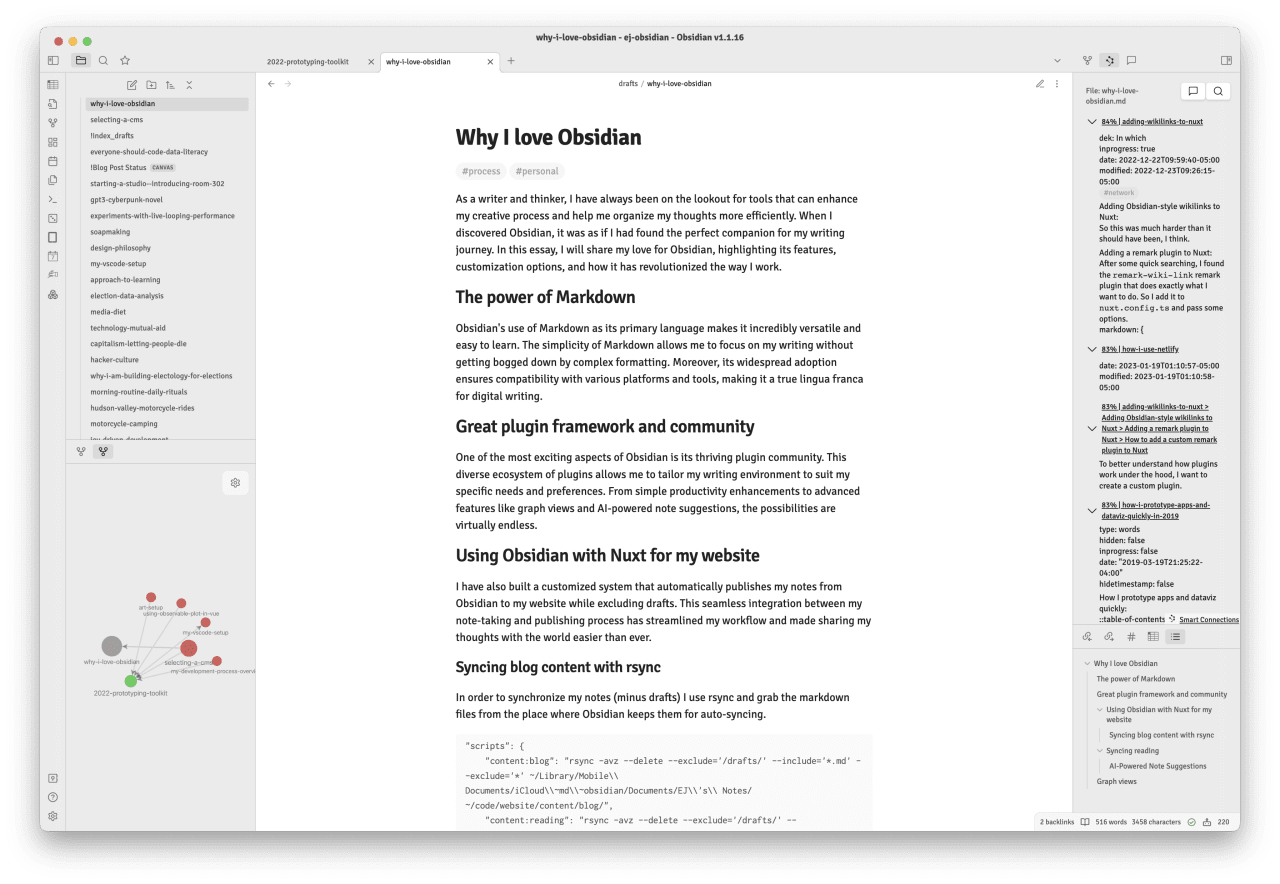
The power of Markdown
Obsidian uses Markdown, which makes it versatile and easy to learn. I've been using Markdown for over 10 years, so it comes naturally. Markdown lets me focus on my writing without getting bogged down by complex formatting or WYSIWYG tools. It's also widely adopted, so it works with various platforms and tools.
Great plugin framework and community
One of the most exciting parts of Obsidian is its plugin community. Plugins let me tailor my writing environment to my needs, from simple productivity tweaks to advanced features like graph views and AI-powered note suggestions.
Using Obsidian with Nuxt for my website
I have also built a customized system that automatically publishes my notes from Obsidian to my website while excluding drafts. This made sharing my thoughts with the world easier.
Syncing blog content with rsync
In order to synchronize my notes (minus drafts) I use rsync and grab the markdown files from the place where Obsidian keeps them for auto-syncing.
"scripts": {
"content:blog": "rsync -avz --delete --exclude='/drafts/' --include='*.md' --exclude='*' ~/Library/Mobile\\ Documents/iCloud\\~md\\~obsidian/Documents/EJ\\'s\\ Notes/ ~/code/website/content/blog/",
"content:reading": "rsync -avz --delete --exclude='/drafts/' --include='*.md' --exclude='*' ~/Library/Mobile\\ Documents/iCloud\\~md\\~obsidian/Documents/EJ\\'s\\ Notes/reading/ ~/code/website/content/reading/",
"content:all": "npm run content:blog && npm run content:reading"
},Graph views
Obsidian's graph view shows the connections between my notes, including patterns and relationships I might have missed. This bird's-eye view of my writing helps me find gaps in my understanding and gives me new ideas.
Canvas view
Great mobile support & iOS app
Community plugins
Syncing reading
With the Obsidian Kindle Plugin, I can sync my Kindle highlights into my notes, which makes it easy to quote my favorite books.
AI-Powered Note Suggestions
Using OpenAI embeddings through the Smart Connections plugin, I can find similar notes and quotes in my Obsidian vault. This saves me time and helps me use relevant material from my past reading.